Agent lets you build a real-time character just by chatting. Tell it what kind of character you want, or pick a template, and it creates the look, the voice, the personality, and the way the character moves. You can try the character right away, keep adjusting it in the same chat, and share it with a link when it’s ready.
Agent isn’t enabled on every account yet. If you don’t see Agents in the left navigation of platform.vivix.ai, contact us to get access.
Pick a template to get a ready-made character in one click, or start from scratch and describe the character you have in mind.
Describe a character in the message box, or pick a template below it.
2
Refine it in the chat
Ask for changes the way you’d explain them to a person: a different look or voice, a new personality, a gesture, a song and dance, or a mini game to play with viewers. You can attach reference images, product photos, or audio recordings.
3
Try it in the live preview
Open the Live preview panel and click Talk to character to have a real-time conversation. Click the red End session button at the top left of the panel when you’re done.
4
Share it
Click Share at the top of the preview panel. Copy link publishes the character as its own page and copies the link. Share to community also lists it publicly under a name you choose.
A shared character page. Visitors click Talk to character to start a conversation.
Talking to a character uses credits, the same as any other live session. Opening the preview panel on its own doesn’t.
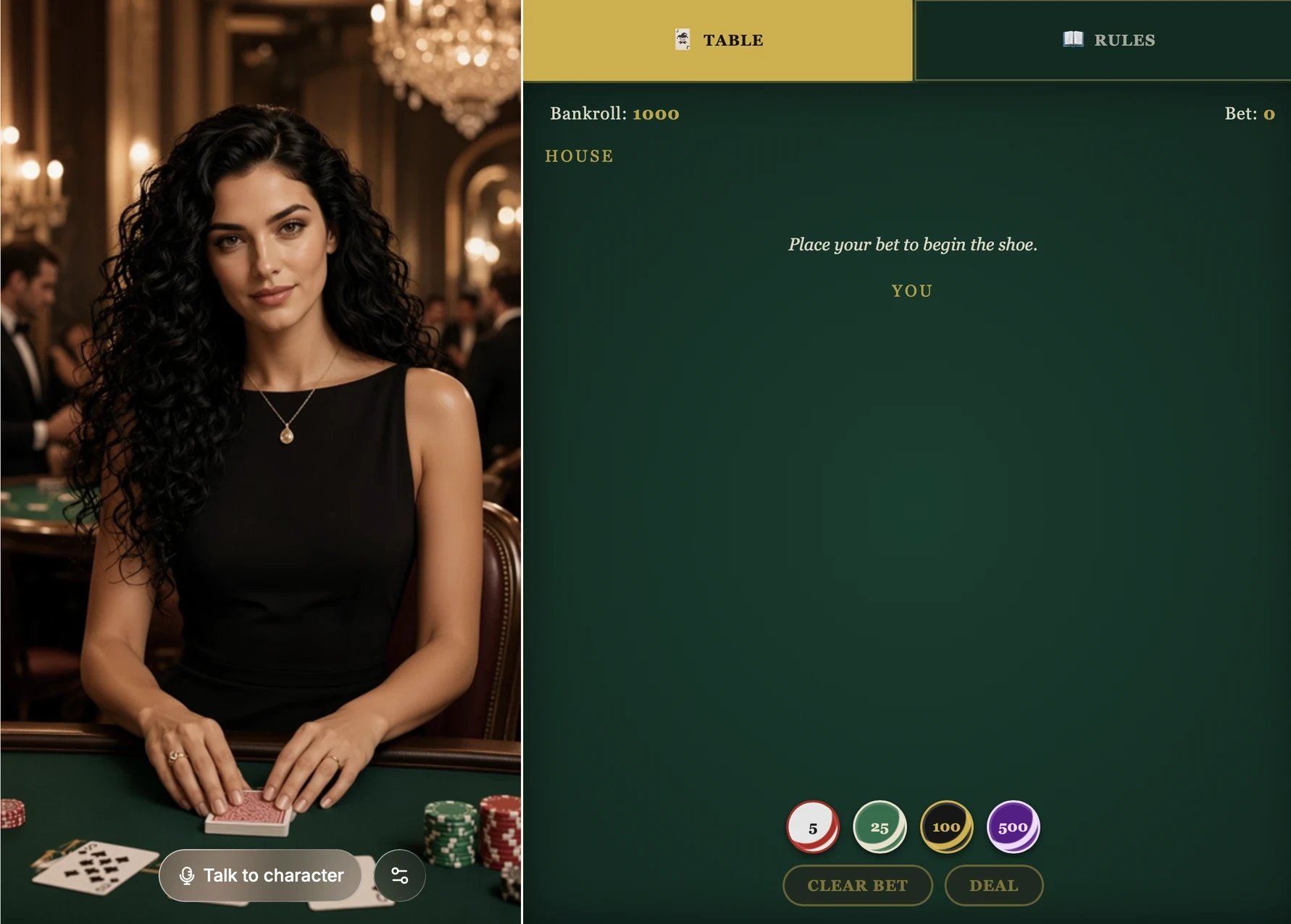
A character can do more than talk. Ask for an app, such as a card game, a quiz, or a product list, and it appears next to the character. Viewers can click around in it, and the character can use it too: it deals the cards, moves to the next question, or presents the product a viewer picked, and it reacts to what viewers do.
Add a quiz next to the character with a question, four answer buttons, and a score. The character reads each question aloud, reveals the answer after the viewer picks one, and updates the score.
The Vespera template shows how this feels: she chats with the player while dealing blackjack at the table next to her. To build your own, see Build an app the character can use.