Shape the workbench and the way the agent works around your habits and the videos you make. You don’t need to write code: say what you want, and the agent builds it, installs it, and shows you the result.

What you can add

You don’t always have to ask. When the agent notices something you’ll need again, it offers to add it to your Studio. Nothing is switched on until you say yes.

Try it: a screening room

Send this to your agent.
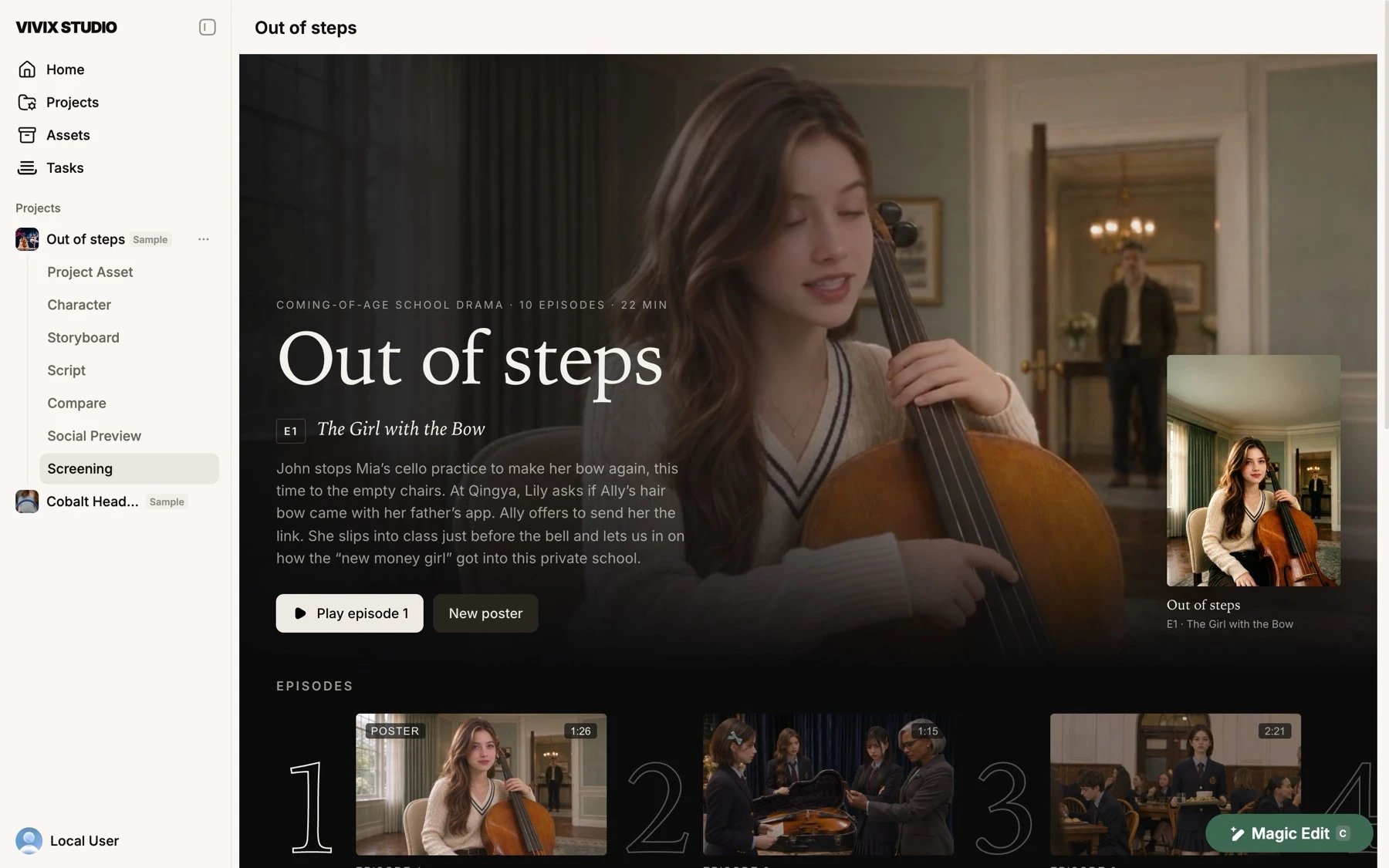
Screening page of the sample short drama Out of Step: the first episode plays in the hero, with the episode row below
Screening page of the sample short drama Out of Step: the first episode plays in the hero, with the episode row below

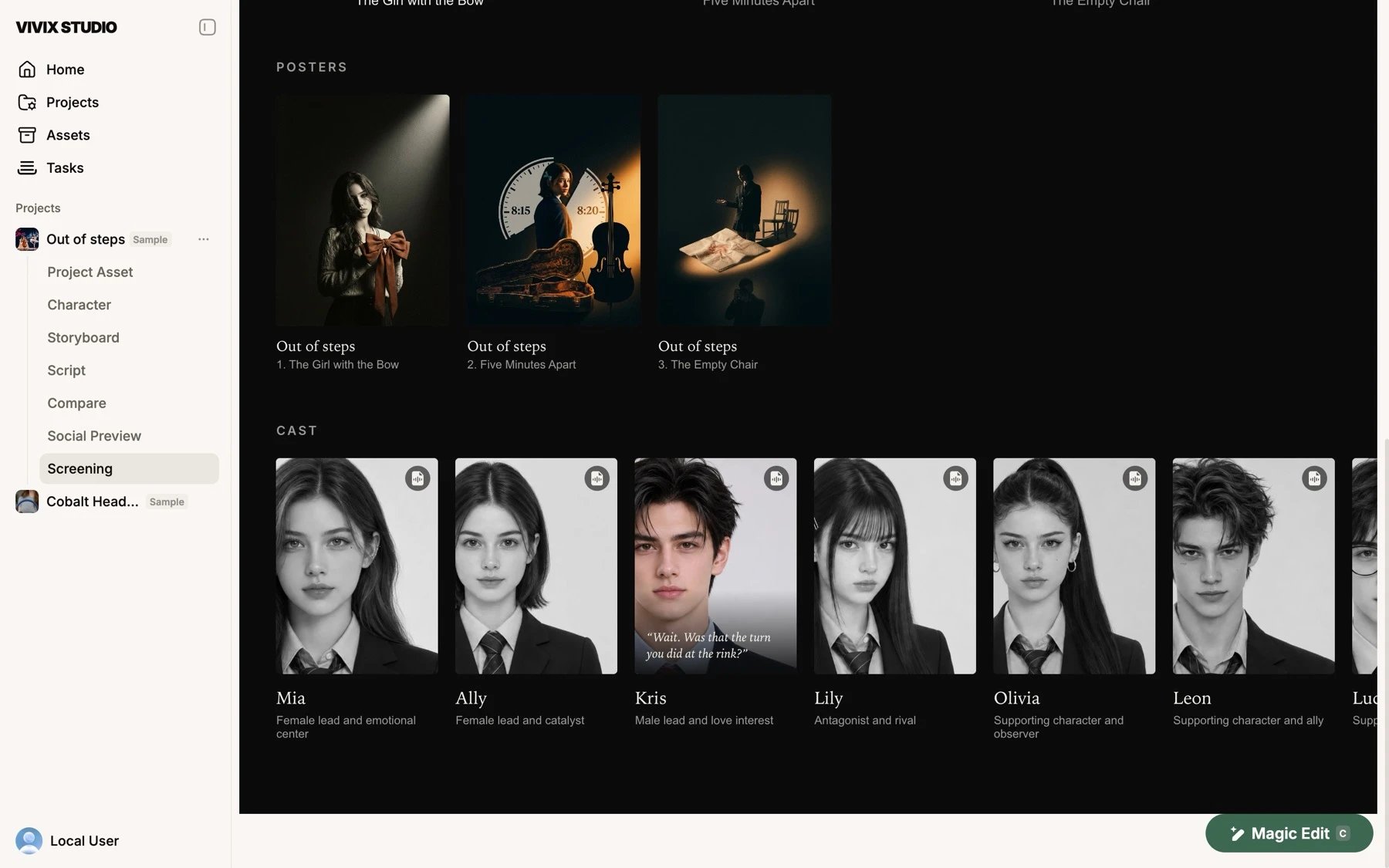
Posters made for three episodes, and the cast row with a line of dialogue shown on hover

Posters made for three episodes, and the cast row with a line of dialogue shown on hover

More ideas

Turn things off

Ask the agent to turn anything off or remove it, for example: “Remove the Screening page.” Your project data stays.